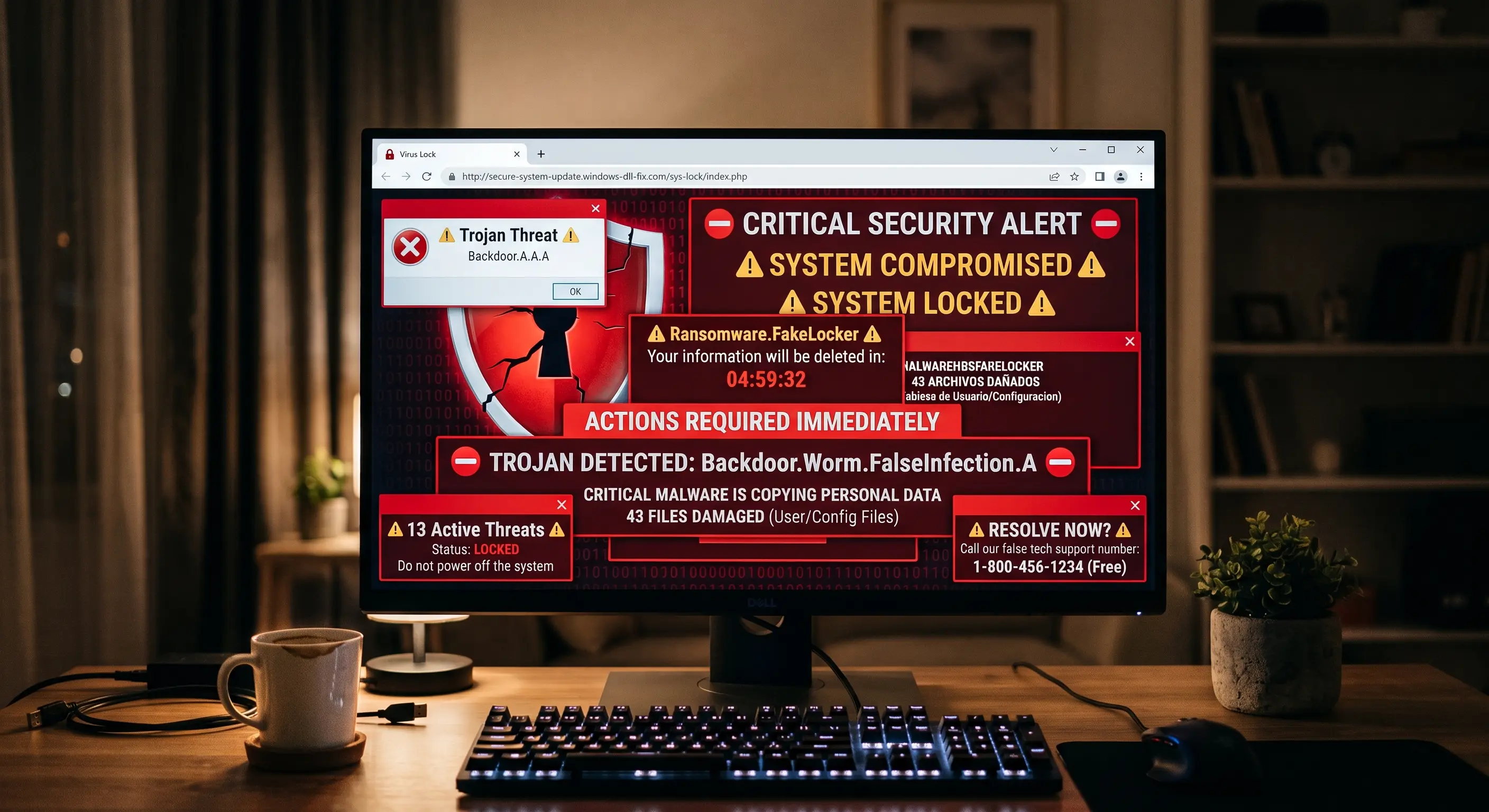
You're browsing the web when, suddenly, your screen turns bright red or blue. A loud, robotic voice starts blaring from your speakers, claiming that your computer has been blocked by Microsoft Windows or Apple. In the center of the screen, a terrifying message reads: "Trojan infection detected. Do not turn off your computer or you will lose all your data. Call Tech Support immediately at 1-800-XXX-XXXX".
Panic sets in. You try to close the window, but you can't. In cybersecurity engineering, we know this attack as Scareware. Its goal is not to infect you with a virus, but to terrify you into calling that toll-free number.
1. The Technical Illusion: Why you can't close the window
The first thing you need to know is that your computer does NOT have a virus at that moment. What you are looking at is simply an ordinary webpage designed to look exactly like an operating system alert.
Scammers use a JavaScript loop to force your web browser (Chrome, Edge, or Safari) into full-screen mode (just like pressing the F11 key). Then, they abuse a legitimate browser feature to display continuous pop-ups, rendering your mouse useless and preventing you from clicking the "X" to close the tab. It is a perfect digital optical illusion.
2. The Fatal Error: The phone call and remote access
If you give in to the panic and call the number, a very polite "technician" (usually from an illegal overseas call center) will answer. They might claim to be from Microsoft, AppleCare, or Geek Squad. They will ask you to install legitimate remote desktop software like AnyDesk, TeamViewer, or UltraViewer.
These tools are used by real engineers to work remotely, but by giving them to the scammer, you are handing over total control of your mouse and keyboard. From that moment on, they are inside your computer, and the real nightmare begins.
3. The Command Prompt Theater (The Payload)
To convince you that the problem is severe, the scammer will open a black screen with green or white text (the Command Prompt or CMD). They will type harmless commands like tree or dir /s, which makes hundreds of lines of text scroll rapidly across the screen.
While that happens, they will tell you: "Do you see all those files passing by? Those are foreign hackers stealing your passwords." In reality, they are just showing you an index of your system folders. Finally, they will claim your network security license has expired and you must pay between $300 and $800 using Target/Apple Gift Cards, Bitcoin, or even wire transfers to "clean the network."
4. How to spot a Tech Support Scam
| Situation | Legitimate Tech Support ✅ | Scammers ❌ |
|---|---|---|
| Origin of contact | You reach out to them by visiting their official website. | They call you out of the blue or force you to call via a scary screen alert. |
| Payment Methods | Standard credit card payments on a secure online portal. | Retail Gift Cards (Target, Apple, BestBuy), Zelle, or Crypto. |
| Using the Command Prompt | Rarely used in front of the customer; they use diagnostic UI tools. | Used as a "Hollywood effect" to scare inexperienced users. |
5. The Escape Protocol: What to do if it happens to you
If your screen suddenly freezes with one of these loud alerts, apply this simple systems engineering rule to neutralize the attack instantly:
- Do not call, do not click anywhere, do not panic.
- If you are on Windows, press Ctrl + Alt + Delete simultaneously and select the Task Manager. Find your browser (Chrome or Edge), right-click it, and select End task. The "virus" will disappear instantly.
- If you are on a Mac, press Command + Option + Esc, select Safari or Chrome, and click Force Quit.
- If you don't know how to do this, simply press and hold your computer's power button for 10 seconds until it completely shuts off. When you turn it back on, do not restore your previous tabs.
[Your affiliate link to Malwarebytes Premium, Bitdefender, or Norton goes here]
🤖 Evaluate your suspicions with XolHound
If you accidentally installed any remote control software, or if you received a threatening email with a phone number, copy the text and paste it into our AI Message Checker. We will find the scam patterns and tell you exactly how to uninstall any threat from your computer.